

Results and letters in your Inbox
Read the results and letters other practices send you, and add them to the right patient.
Last updated
Audience: Doctor, Admin
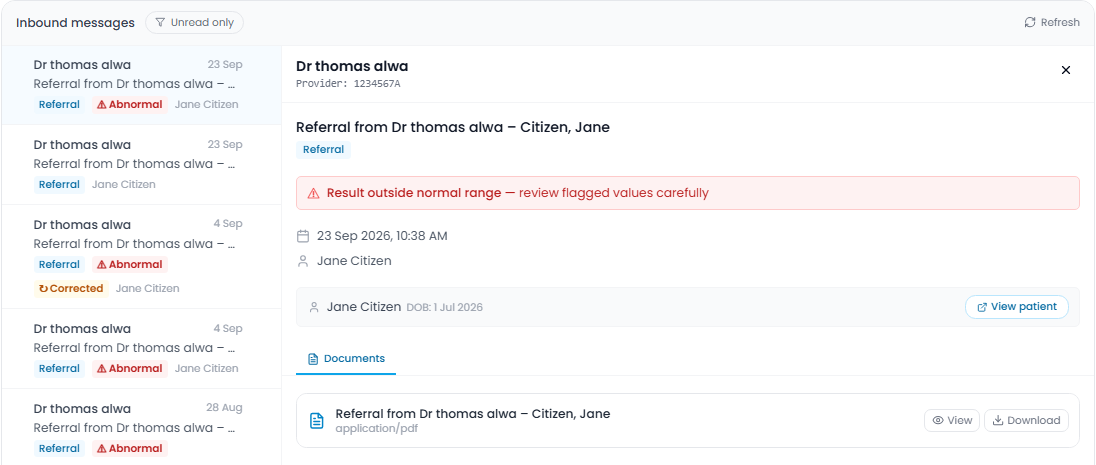
- Click Inbox in the sidebar. A red number shows how many messages you haven't read.
- Click a message to read it. It's marked as read.
- In Documents, click View to read a document, or the download icon to save it.
Who sees what
- Doctors see the messages sent to them.
- Admins see every message for the clinic.
Results outside the normal range are marked Abnormal. A corrected result is marked Corrected. Review these carefully.
Add the message to the patient
- View patient opens the patient Arvi matched the message to.
- Create Patient opens a new patient form filled in from the message. Check the details, then save.
See a patient's results over time
Open the patient and click Lab Results. Click a result, then Trends to see each test as a small chart with its normal range.
Tip: turn on Unread only to see just the messages you haven't read.