

Set up HealthLink for your clinic
Apply to HealthLink with Arvi's step-by-step guide and add your doctors' provider numbers. It takes about 10 minutes.
Last updated
Audience: Admin
Before you start, have ready
- Your clinic's ABN and trading name
- Your clinic's HPI-O number
- Each doctor's Medicare provider number
1. Open the HealthLink page
Click your name at the bottom of the sidebar, then Integration → HealthLink. Only admins see this menu.
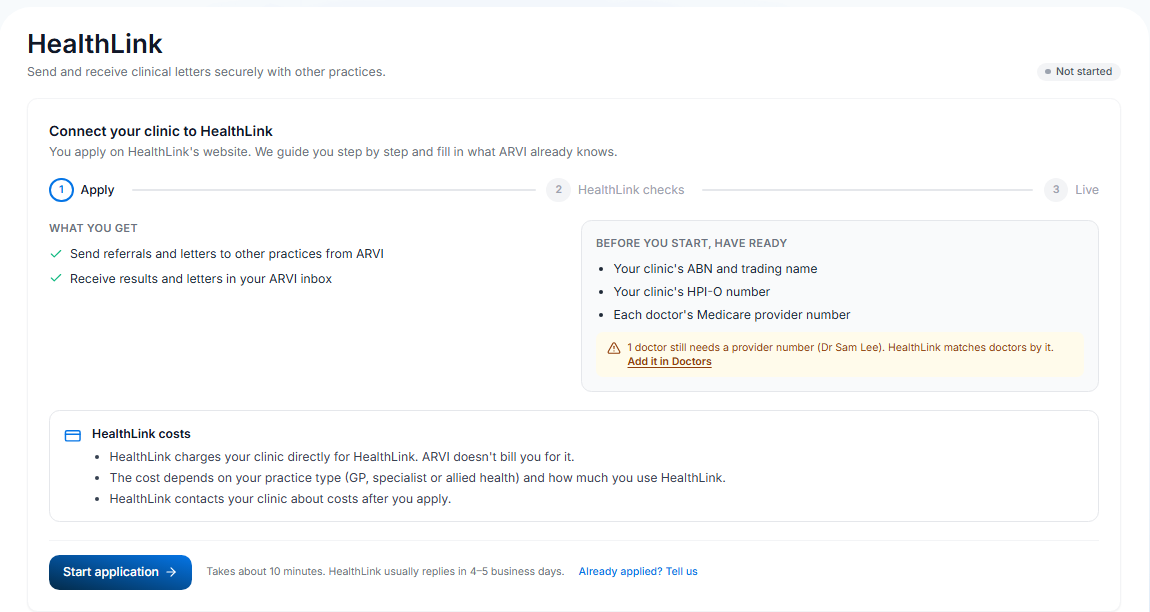
2. Add your doctors' provider numbers
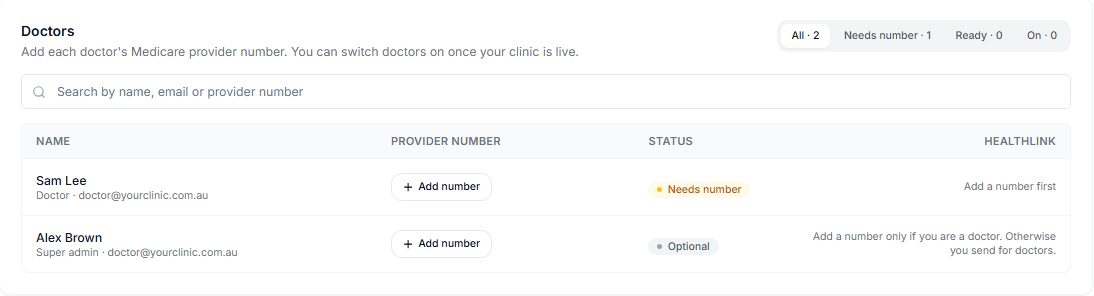
In Doctors, click Add number next to each doctor, type the number (for example 2345678B) and press Enter. HealthLink matches doctors by this number.
3. Apply on HealthLink's website
- Click Start application. A guide opens beside the page and shows you what to fill in.
- Open HealthLink's form from the guide. Keep Arvi open next to it.
- Choose your organisation type (General Practice, Specialist or Allied Health). Don't choose Vendor.
- Choose Arvi Health as your practice software.
- Tick Receive Electronic Correspondence and Sending Electronic Reports. Leave SmartForm eReferrals empty.
- Copy your clinic's details from the guide with the copy buttons.
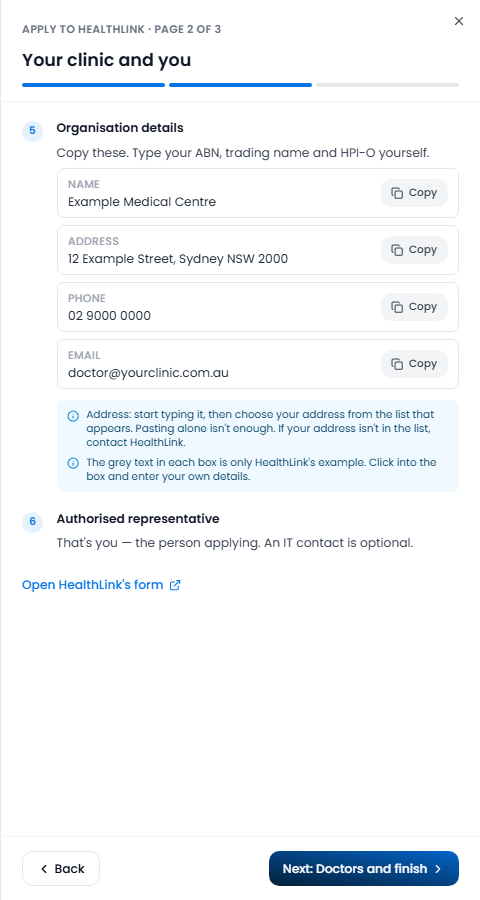
Two tips for HealthLink's form
- Address: start typing your address, then pick it from the list that appears. Pasting alone isn't enough.
- The grey text in each box is only HealthLink's example. Click into the box and type your own details.
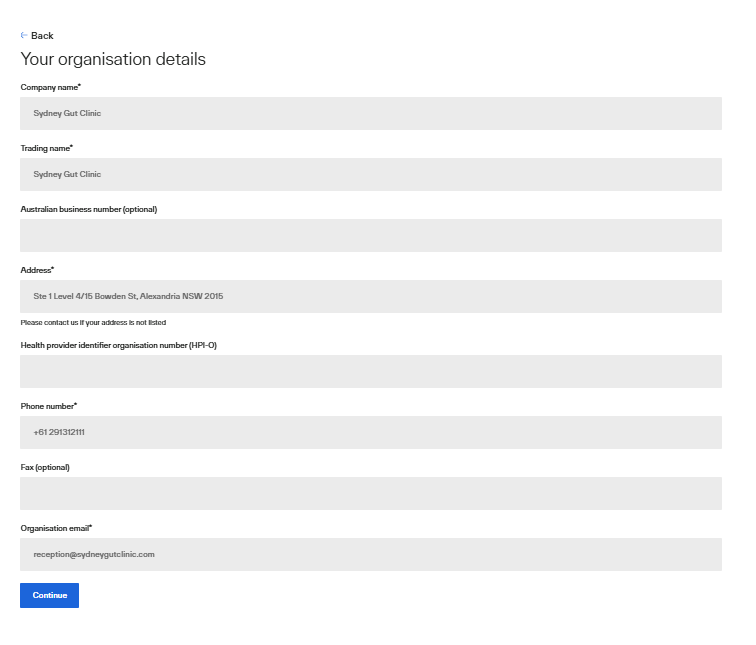
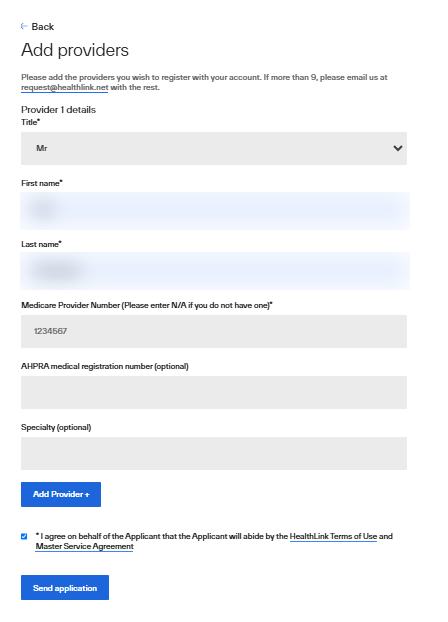
- Add each doctor with their provider number. The form takes up to 9 doctors. For more, email HealthLink.
- Add the comment the guide gives you, tick HealthLink's terms and send the form.
4. Tell Arvi you've applied
Back in Arvi, click Yes, I've applied on the last page of the guide. If you closed it, click Already applied? Tell us.
5. Wait for HealthLink
HealthLink usually replies in 4–5 business days and may phone your clinic. The page shows Waiting for HealthLink until then. You don't need to do anything. Waiting more than 7 days? Contact Arvi support.
6. Your doctors are switched on
When the page shows Live, every doctor who has a provider number is switched on automatically. They can send and receive straight away. Check Doctors: each one shows On.
Later
- A new doctor? Add their provider number. They're switched on straight away. That's all.
- A doctor leaves? Switch them off in Doctors.
- Your clinic's HealthLink address (EDI) is shown on the page once you're live. Give it to other practices so they can send letters to you.